
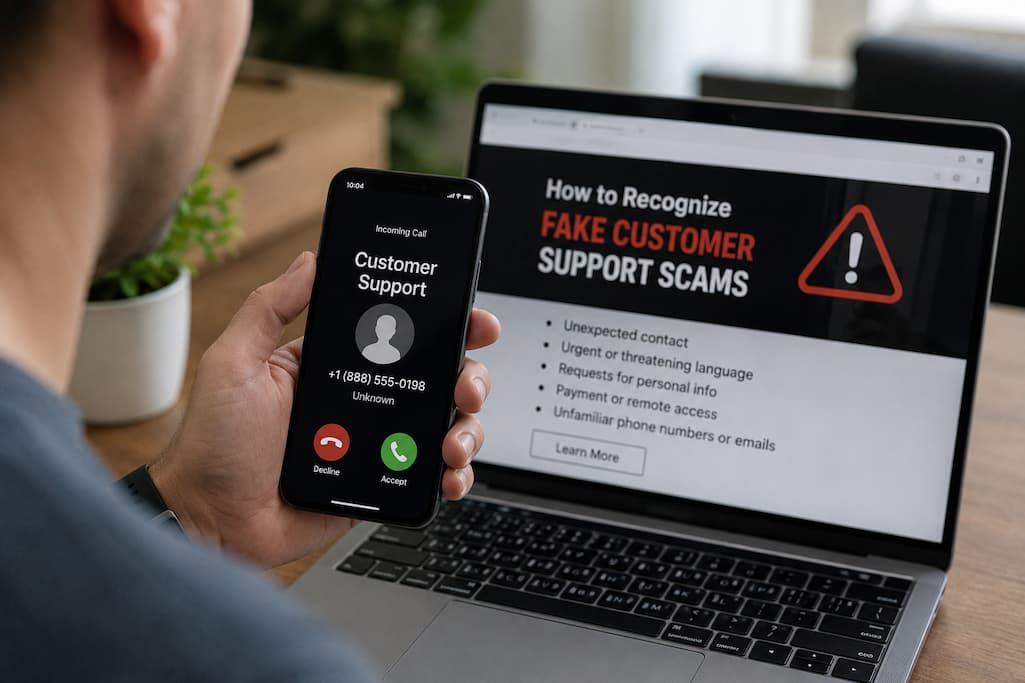
Fake Customer Support Scams
A fake customer support scam is when a scammer poses as a customer support or tech support representative to trick you into giving away personal information, money, or access to your devices. They often use high-pressure tactics, pretending you have a serious problem that needs immediate attention.
This is known as a fake customer assistance scam and involves someone pretending to be from a reputable firm or service. The scammer may contact you, or they may wait for you to contact them through a bogus support channel. They typically manufacture a situation that needs quick attention or claim to be helping you solve a problem that already exists.
For example, you can get a notice that your account has been compromised. The bogus agent may next promise to “secure” the account but ask for your password or security code. Another scammer may say they unintentionally made a purchase and want to access your computer remotely to complete a refund. The story will differ, but the goal is generally the same: to get you to do something risky. When you’re interacting with genuine customer service, they shouldn’t be asking you to give over sensitive information or wire money to an unknown account.
Surprise Contact from Support Agents
Unsolicited communication is a clear warning sign. You may get a call from someone who says they’re from your bank or tech company and that there’s suspicious activity on your account. You might get an email warning you your subscription is about to be cancelled. You may receive a notice that tells you to contact support right away.
Unexpected communication isn’t necessarily fraud, but it should make you wary. If you didn’t ask for help, don’t assume whoever is contacting you is legitimate. Instead, please close the chat and contact the company directly through their official website, app, or a verified phone number. If you receive an unexpected call regarding a problem with your account, do not use the contact details they give you. Please find the organization’s official support channel yourself.
Fake Support May Come Through Search Engine Results
When individuals need customer support, they often turn to the Internet. Scammers know these facts and may construct bogus help webpages or ads that appear in search results. You can see the name of a known company on the web and a phone number that will get you right to a fraudster. That’s why simply searching for a support number isn’t always enough. Before you contact, ensure that the website is the company’s legitimate official domain. If you do not recognize the advertisement or search result, you are better off simply typing the known website address into your browser or opening the company’s official app.
Watch out for websites with strange domain names, misspellings, an excess of pop-ups, or requests for information before you can reach assistance. The fact that a support page looks professional doesn’t mean it’s authentic.
Pressure to Do Something Now
Fake support scammers typically use urgency to prevent you from thinking thoroughly. They may tell you that your account will be terminated in minutes, your money is at risk, or they need to stop a suspicious transaction urgently. This is pressure to get you to react emotionally. People are more likely to obey directions without checking when they think something awful is happening. A scammer may tell you not to hang up or call anyone else to dominate the conversation.
Take a timeout when any support agent exerts extraordinary pressure. Legitimate firms have security protocols, but you should still be able to verify who you are dealing with. If a caller gets confrontational when you attempt to verify their identification, such behavior is another warning indicator.
Password and Security Code Requests
A bogus support person can ask for your password, PIN, or one-time security code. They may try to make it sound like a legitimate verification step, but providing those details gives the scammer access to your account. Never assume that a person is genuine because they know anything about you. A fraudster may already have your name, email address, phone number, or other essential facts. This information does not establish their identity.
One-off codes need special attention. If you receive a code by text message or from an authentication app, read the message carefully. It could say the code is being used to authorize a login, payment, or account update. If someone calls you unexpectedly and asks you to read that code out loud, hang up. Legitimate support workers should never ask for your password or need you to provide a one-time security code sent to you unexpectedly.
Requests to Remotely Access Your Computer
Another typical tactic is to persuade you to download software that provides remote access. The fraudster may say they need to check your computer, get rid of a virus, correct a technical problem, or help with a refund. Once you give them remote access, the fraudster may be able to see your screen and control your device. They may try to access files, accounts, or financial information. Some will even develop phony technical difficulties to make you feel you need their assistance.
Never grant remote access to an unexpected caller who says they are from a trusted company. If you really need technical help, start the support process yourself on the company’s official website and make sure remote assistance is part of their standard protocol.
Requests to Wire Money or Purchase Gift Cards
Some fake assistance scams will even ask for money directly. The fraudster can say that your account has been hacked and you need to transfer funds to a “safe” account. Others may ask you to buy gift cards and share the codes with them to prove who you are or to pay a technical support fee. These are severe red flags. Be extremely careful if someone asks you to pay in a way that is difficult to reverse or get your money back. “Most legitimate companies will never ask you to buy gift cards to resolve an account issue.
| Request | Why It Is Concerning | Safer Action |
|---|---|---|
| Send money to a “safe” account | Scammers may be trying to move your funds. | Contact your bank independently. |
| Buy gift cards | Gift card payments can be difficult to recover. | Do not provide the codes. |
| Pay an unexpected support fee | The request may be part of an impersonation scam. | Verify the company through an official channel. |
Fake Refunds and Overpayment Stories
Some fake customer service scams use refunds as a pretext. Scammers tell you that a company has accidentally overcharged you and that they need to refund you the money. They may trick you into logging into a banking app and then guide you through the refund process.
Sometimes scammers claim to issue a refund but then say they have overcharged. They then ask you to pay the difference. The money in your account may be refunded later, or it may be fake, and you could be held liable for the amount you transferred. If you receive an unexpected refund or an overpayment, even if the other party requests payment, please refrain from transferring the money immediately. Please check your account and contact the company or financial institution directly if you have any questions.
Safe Customer Service Verification
The best way to deal with suspicious customer service is to take care of it yourself. If you receive an unsolicited phone call, end the conversation politely. Next, search for the company’s official website or open the official app.
- Check whether you have an account or transaction history with the company.
- Please open the official website or app yourself.
- Find the help center via the company portal.
- Contact customer service through officially recognized channels.
- You may have previously received phone calls from people claiming to be employees of the company.
- Doubt the authenticity of the initial contact.
This tactic puts the scammer at a disadvantage. You can choose your own customer service channels instead of passively accepting the phone numbers, websites, or instructions provided by them.
Common Misconceptions
A common mistake is relying on caller ID. A phone number on the screen may look familiar, but do not assume it confirms your identity. Scammers can manipulate caller ID information. Another misconception is that a website with a professional logo is legitimate. Company logos and brands are easy to copy. Always verify the actual website address and how you reached the page.
Sometimes people call because they are afraid that hanging up will only make the situation worse. Remember that you can always end any unexpected phone call with customer service. You can always contact the organization again through official channels. Finally, never hesitate to ask for help. If you think you have become a target, tell someone you trust and contact your bank or service provider as soon as possible. Do not worry about doing anything wrong, but take action, even if it is just a small action.
What to Do If You Already Shared Information
If you have contacted a fake customer service, please respond quickly. The correct approach depends on what you said or did. If someone has compromised your password, please change it immediately on the official website. If you have used the same password for other accounts, change those passwords as well. Enable multi-factor authentication where possible.
If someone has compromised your banking details or security codes, contact your bank or financial institution immediately via a trusted number. Describe the incident in detail and follow their security advice. If you have installed remote access software and suspect that scammers still have access to your device, disconnect it from the internet. If your device contains sensitive information, you may need to seek professional help. If you have already transferred money, please contact your bank or payment service provider immediately. Keep copies of all communications, emails, phone numbers, receipts, and other evidence. These documents can help you report the incident.
Simple Ways to Protect Yourself
You don’t need to be a cybersecurity expert to mitigate risks. Start by developing a few simple habits. Keep your apps and devices up to date, use strong and unique passwords, and enable multi-factor authentication for your important accounts. Most importantly, develop the habit of verifying information independently. If you do not recognize someone calling or emailing you about money, account security, or technical difficulties, do not respond. Do not open links, install software, or provide important information before you have verified the person’s identity.
It can also be helpful to teach these habits to your family members. Scammers often target people who are less familiar with the internet, but anyone can fall victim to a fake scammer. A simple family rule – “If someone suddenly contacts you for help, wait a moment and check it yourself” – can help prevent many problems.
FAQs
1. Can fake customer service representatives really find me via search engines?
Yes. Scammers can create fake help websites or advertisements that appear when users search for help. Always check if the website belongs to a legitimate organization before calling or entering information. Use official apps, or better yet, if possible, enter the real web address yourself.
2. Should I trust callers who know my name?
No. The fact that you know someone’s name does not mean that person is real. Personal data can come from various sources, including previously accessed records and publicly available information. Focus on what the caller wants from you. If they ask for your password, security code, remote access, or make suspicious payments, stop contacting them immediately and verify the information yourself.
3. Will a real customer service representative ask for your password?
If an unknown number calls you, never give away your password. If customer service needs your help with an account problem, they can usually guide you through the official procedure without knowing your password. Never give your password or one-time authentication code just because someone claims to be from customer service.
4. How do I contact customer service safely?
Go to the company’s official website or app. Never trust phone numbers or links provided in unknown calls or text messages; instead, consult the help desk directly. Instead, use the contact information in official statements or documents you trust.
5. What if I don’t know if the call is a real customer service call?
If you are unsure, please hang up and call the company directly. Explain what happened and ask whether it is a legitimate call. If so, you can proceed through officially verified customer service channels. If it is a scam, do not provide any further information.
Conclusion
Scammers impersonate employees of companies you trust to run fake customer service programs. They may look very professional, use brands you know, or concoct a seemingly credible story about a security issue, refund, or technical malfunction. These details may seem familiar, but they should never replace independent verification.
The safest approach is to stay calm and keep control. Never disclose passwords or security codes, never allow strangers to access your device remotely, and never transfer money under pressure. If you need help, contact the relevant organization via the official website or app. Recognizing these warnings
References
