
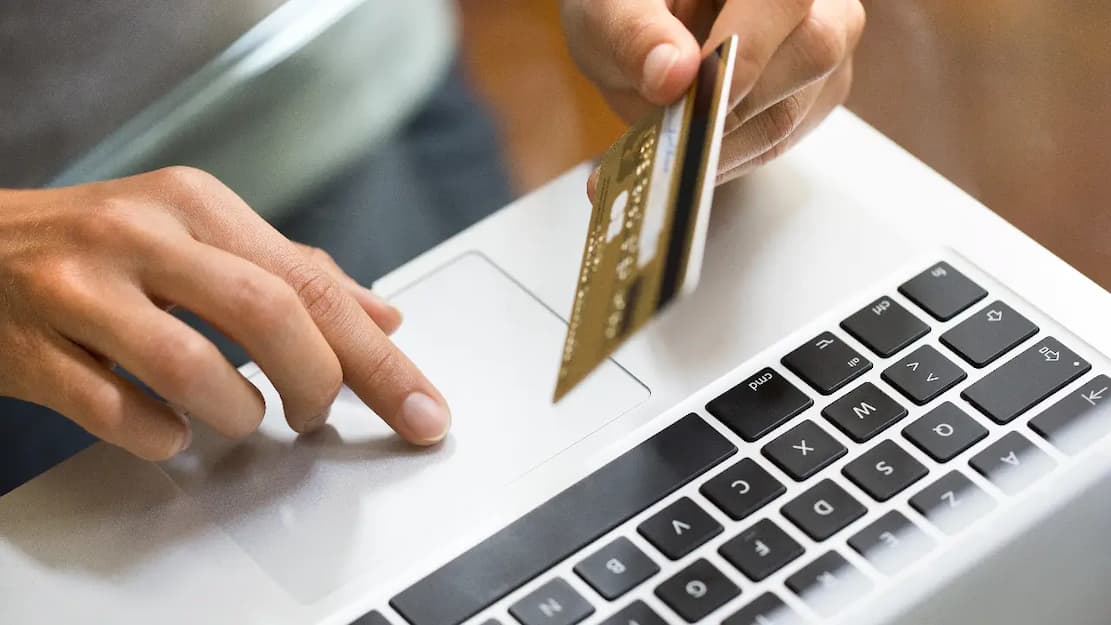
Saving card details is not always risky. Many trusted websites and payment providers protect card numbers. Tokenization, which replaces sensitive payment information with a token for future transactions, is crucial. Avoid saving or rejecting payment details automatically. Instead, learn how the function works, evaluate account and device security, and decide if the convenience is worth the risk in each circumstance.
Advantages of Saving Card Details
The primary benefit is convenience. Shop at a trusted retailer often? Save your payment method to speed up future transactions. When requested by the payment provider or bank, you may just need to pick the saved card and perform a security check. Saving details might reduce the number of times you manually enter important data. Every time you enter a card number into a website, you risk making a mistake. A saved payment method simplifies the process.
Some providers offer additional payment functionality when you save a card. These may feature speedier recurring payments, subscription management, or smoother checkout across account-linked devices. Features vary per shop and payment source. These benefits can be significant for frequent users of a well-established business. The key is to weigh convenience against the security of your payment method.
Saving Payment Details Online Risks
Your saved payment method connecting to a protected account or service is the biggest risk. Depending on the website’s security, unauthorized users can use your saved payment method to make transactions. Risks go beyond stolen credentials. Attackers can exploit phishing communications or repeated passwords to steal login information. If your shopping account and other services use the same password, a breach elsewhere could compromise them.
Accidental purchases are possible. Saving a card makes purchases easier, especially on shared devices. Someone with access to the device can place an order without the card if an account is logged in. Another factor is the payment processor’s security. Even respected companies can have security issues. Your company’s security is beyond your control, but you may limit your personal risk by using trustworthy services and not storing payment details.
Tokenization and Card Details
People sometimes misinterpret stored payment methods since “saving your card” does not always mean a website stores your full card number for future transactions. Many payment systems tokenize. Tokenization substitutes confidential payment information with a unique token that represents a system’s payment mechanism. That token lets the merchant or payment service conduct an authorized transaction without disclosing the card details.
This can limit the quantity of sensitive card information handled during transactions. A well-built tokenization system may make a merchant’s token less helpful to an attacker outside the intended payment environment than the card number. But tokenization is no magic shield. System security remains important. Account credentials, device, payment provider, and enterprise security measures all matter. Someone can access your account and make fraudulent transactions if the service allows it.
When a website promises it securely stores your payment method, you may not know how. If security is important, ask the company about its payment processing and security measures rather than assume that all saved cards are safeguarded the same.
Account and Payment Security Matter
People often focus on whether a website can securely store card details but overlook the account that grants access. A powerful payment system won’t protect you if your account is readily hacked. Have strong, unique passwords for shopping accounts that store payment methods. Using the same password for many services raises the risk of a hack.
When available, enable website multi-factor authentication. This adds security by demanding further authentication when signing in. The authentication technique determines security; however, a second barrier is better than a password. Notice unexpected login alerts, password reset messages, and emails concerning unmade changes. Investigate immediately if you receive a report of account access or security changes. Also, check saved payment methods occasionally. Consider removing your card information and terminating the account if you no longer use a website. Keeping old account payment information exposes unnecessary risk without value.
Payment Security Includes Device Security
Your phone, tablet, or computer can access saved payment methods. Someone with access to an unlocked device with a shopping account may have an easier time making purchases. Use a strong screen lock and update your OS and apps. Delaying software upgrades can leave known vulnerabilities unpatched.
Public computers should be used carefully. Avoid storing card information on a shared device. Avoid leaving shopping accounts signed in on family, coworker, or other computers. Respond immediately to lost or stolen devices. If you suspect someone has accessed the device, use the manufacturer or service provider’s account security tools and change critical passwords. Device security is crucial while using your phone for payments, banking, and shopping. Protect a multi-financial gadget like you would your wallet.
When Not to Save Card Info
The ease of saving a payment method may not be worth the exposure. A website you won’t use again is an example. If you are making a single purchase from a reputable but unfamiliar shop, you may choose to enter the card details manually and avoid leaving the payment method tied to a seldom used account.
Do not save payment information on shared computers or devices. Even if you trust the device’s users, you may not know how secure it is or who might access it later. Be wary of strange websites. Before saving a card, check the company’s domain name and HTTPS for basic security. Remember that HTTPS does not guarantee a business’s trustworthiness. Avoid storing payment information when:
- Public computers are used.
- You buy something from a website you won’t visit again.
- You distrust the retailer or cannot verify its identity.
- Good account security or multi-factor authentication is lacking on the website.
- Your company’s payment storage methods bother you.
- The gadget lacks screen lock and security updates.
- Your temporary account may be forgotten.
No card needs to be saved just because a website offers it. If the convenience is modest and the situation is uncertain, not saving it is fair.
Website Trustworthiness: How to Determine
Review the webpage before saving your card. Do you know the company? Did you use the official website or a reputable app? Does the domain name match? Does the site explain its business and customer support? Check the checkout process too. If you are led to strange pages or asked for unnecessary information, be cautious. Do not save your card data halfway through a purchase on a dubious payment page.
Inquire about the company’s payment and privacy policies. You may not grasp every technical aspect, but you may learn how the business manages payment information and which third-party payment providers it utilizes. Simply having a professional website is not enough. Scammers can imitate legitimate services. The safest option is to verify the website yourself, especially if you found it through an unexpected ad, email, or
Saving Your Card: How to Reduce Risk
If storing your payment details is worthwhile, protect the full chain rather than just the card information.
- Protect the account with a unique password.
- Turn on multi-factor authentication when the service allows.
- Install a powerful screen lock and update your OS.
- Please review stored cards and remove payment methods from any inactive accounts.
- Monitor transactions: Look for unusual behavior on bank or card statements.
- Avoid clicking on unknown login or payment links in emails.
- Use trusted networks: Avoid unknown networks for financial or retail accounts.
- Keep account details updated to get security alerts and account notifications.
They don’t remove risk, but they can make misusing a saved payment method harder.
Your Saved Card May Be at Risk: What to Do
Act swiftly on suspicious login notifications, purchases, or account activity. Check the card account and reset the password if needed. Try to erase your saved payment method if you suspect someone accessed your account. If you see an unauthorized transaction, contact your bank or card provider officially. They can explain how to handle your card and situation. Avoid utilizing questionable message contact info.
If you think your shopping account was hacked, look for changes to your email, shipping, or other settings. While focusing on payment method, these changes may be neglected. Check your other accounts after fixing the present issue. Change any password reused elsewhere. Secure a lost or stolen device and analyze accounts it may have accessed.
Convenience vs. Security
Your convenience and risk tolerance determine whether you save card details. The simplicity may be worth it for a trusted merchant you use regularly on a secure account and device. A one-time transaction on an unfamiliar website or shared computer may not warrant the extra exposure. Try not to handle every webpage and situation the same. Company security, payment technology, account protection, and device use all affect risk.
Some payment systems use tokenisation to decrease card number vulnerability, but strong account and device security is still needed. Your saved payment method is only as secure as its systems and access points. When you take a moment to evaluate where your card is saved and how you will preserve it, you can better decide when convenience is valuable and when inputting your details manually is better.
Conclusion
Saving card information online is neither safe nor risky. A security-conscious convenience function. Tokenization may safeguard sensitive payment information on reputable websites and payment providers, but your account and device still need strong protection. Consider whether you trust the website, utilize the service often, and safeguard the account before saving a card. Take into account your device. A saved payment method on a secure device differs from one on a shared PC.
You shouldn’t save payment info just because a website offers it. You can avoid saving the card if you’re making a one-time transaction, using an unknown service, or unsure of the website’s security. Better to be intentional than automated. Save payment information when convenience and security are high. Otherwise, entering your card details when needed and minimizing unnecessary storage may be easier.
FAQs
1. Is it safe to store my debit card details on a trusted website?
Storing your debit card details on a reputable website is relatively safe if the company has implemented the appropriate security measures for payments and you use strong passwords and additional authentication (if applicable) to protect your account. However, no online system is completely risk-free.
2. Does tokenization mean my debit card details cannot be stolen?
No. Tokenization reduces the risk of disclosure of the original card number by using an alternative token for payment processing, but it does not eliminate all risks. Account theft, device compromise, and other security issues can still lead to unauthorized transactions.
3. Should I store my debit card details on my phone?
If you manage your phone, have set up a strong screen lock, and update it regularly, it is wise to do so. Avoid storing payment details on devices you share with others or that you cannot adequately secure.
4. Is it safer to manually enter your debit card details every time?
Not necessarily. Manually entering your debit card details does not automatically increase transaction security, especially when you enter them on fraudulent websites. The security of the website, the payment service provider, your account, and your device are all crucial. Using a trusted service to store your data can reduce the risk of someone repeatedly compromising your card number.
5. When should you delete saved payment methods?
Consider deleting saved payment methods when you no longer use the account, no longer trust the service, sell or give away the device, or want to reduce the number of locations where you store your payment details. If you suspect that someone has compromised your account, check your saved payment methods immediately.
6. What should I do if I discover that my saved debit card has been compromised?
Contact your bank or card issuer immediately using their official contact details. Protect the linked account, change your PIN if necessary, and check other account settings for unauthorized changes. Retain transaction records and all relevant security alerts.
