
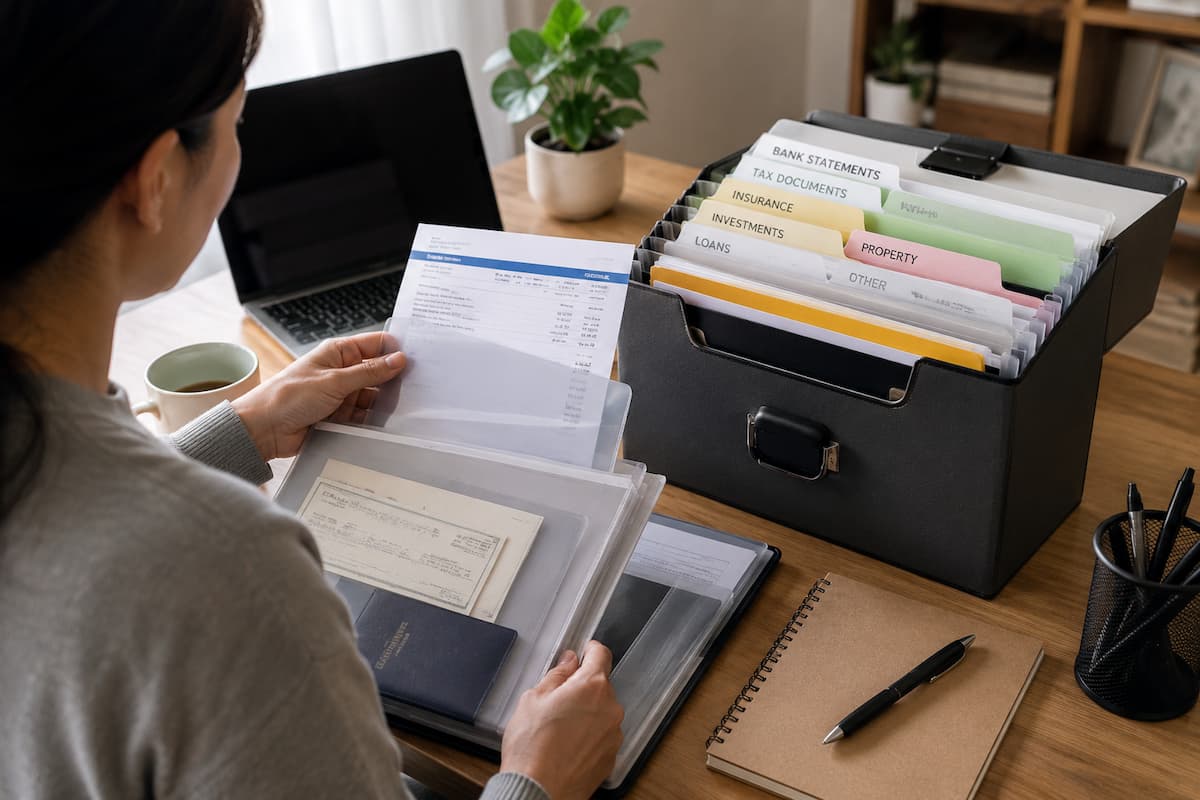
Proper financial document management does not mean you have to keep everything. The key is understanding which documents are important, storing them correctly, retrieving them quickly, and destroying them securely. A simple system eliminates clutter and makes important information straightforward to find.
This guide covers organizing family financial documents, deciding which records to keep, creating a usable digital archiving system, protecting sensitive information, and evaluating old documents. Whether you keep records online, use paper documents, or both, the ultimate goal is to create a system that works in your daily life.
Begin by Sorting Documents Into Clear Groups
The simplest way to organize financial documents is to not treat every document as equally important. Gather your financial data from multiple sources. Think, for example, of bills, bank statements, insurance policies, tax documents, loan agreements, receipts, and electronic records. Once you have collected all the documents, you can categorize and organize them. You do not need to use boxes or folders. Small, manageable groups are easier to manage.
| Category | Examples | Typical Purpose |
|---|---|---|
| Banking | Statements and account records | Tracking transactions and balances |
| Income | Pay records and earnings documents | Proof of income and financial planning |
| Tax | Returns and supporting records | Tax reporting and future reference |
| Insurance | Policies and claim records | Understanding coverage and making claims |
| Loans and debt | Agreements and payment records | Tracking obligations and repayments |
| Property | Purchase documents and major receipts | Ownership and future transactions |
| Retirement and investments | Statements and account information | Long-term financial planning |
The categories can be adjusted to suit your circumstances. The important thing is that every document has a logical home.
Separate Records You Need From Records You Can Discard
One reason financial paperwork becomes overwhelming is that people keep everything they might need later. Over time, such behaviour creates piles of documents that are difficult to search and may contain sensitive information. Before keeping a document, ask what purpose it serves. Does it prove ownership? Does it show a payment? Is it connected to a tax obligation, insurance policy, loan, or legal agreement? Could you easily obtain the same information again if needed?
Some documents deserve long-term or permanent storage, while others may only be useful for a limited period. The exact retention period depends on the type of record, your country, tax rules, and personal circumstances. Do not rely on a general internet rule that says every financial document must be kept for exactly a certain number of years. Requirements can vary. For tax and legal records, consult the guidance that applies to your location or ask a qualified professional when necessary. Keep important records because you understand their purpose, not simply because you are afraid to throw anything away.
Create a “Permanent” File for Important Records
Some documents are important enough that you should be able to locate them quickly for many years. Create a dedicated section for these records rather than mixing them with everyday paperwork. This folder might contain property ownership documents, major loan agreements, important insurance information, retirement records, investment statements, or other documents that have long-term significance.
If you keep these records digitally, use descriptive file names so you do not have to open every document to identify it. A name such as Home_Insurance_Policy_2026 is much easier to understand than Document123.pdf. For paper documents, use clearly labeled folders or a filing box. Keep the most important originals in a secure location that ordinary household risks cannot reach.
Build a Separate System for Documents You Use Often
Important does not always mean permanent. Some documents are needed regularly but may not need to be stored indefinitely. Examples include current utility bills, recent bank statements, active insurance policies, loan payment information, and current subscription records. These should be easy to access without searching through your long-term archive.
Consider creating two main sections: Current and Archive. Current records are documents you may need soon. Archived records are older documents you have decided to retain but rarely need to access. This simple separation can make your filing system much easier to use. When you need a current insurance policy, you should not have to search through years of expired policies first.
Use a Consistent Digital File Structure
Digital financial documents are convenient, but they can become just as disorganized as paper files. A downloads folder filled with randomly named PDFs is not a reliable filing system. Create a main folder for financial documents and divide it into logical categories. You might use folders for banking, taxes, insurance, property, loans, and investments. Within those folders, organize documents by year or account when appropriate.
For example, you might create separate yearly folders within a tax folder. An insurance folder could contain subfolders for home, vehicle, health, or other relevant policies. The exact structure matters less than consistency. If you always save documents using the same system, finding them later becomes much easier.
Use File Names That Explain What You Are Looking At
A clear file name should tell you what the document is without requiring you to open it. Include the document type, organization, or account where useful, and the relevant date or year. Instead of saving a file as statement.pdf, consider a clearer name such as Bank_Statement_June_2026.pdf. For insurance, you might use Home_Insurance_Policy_2026-2027.pdf.
Please choose one naming style and use it consistently. Consistency makes searching easier, especially when you have accumulated several years of records. Avoid putting highly sensitive information, such as full account numbers, into file names. If a file is accidentally exposed, the name itself should not reveal more information than necessary.
Do Not Rely on One Copy of Critical Documents
A financial document stored in one location can be lost through hardware failure, accidental deletion, theft, or damage. Important records should have an appropriate backup strategy. For digital files, consider maintaining a backup in a separate location. Depending on your needs, this could involve secure cloud storage, an external storage device, or another reliable backup method.
The key principle is separation. If your laptop and backup drive are kept together and both are damaged or stolen, the backup may not help. For particularly important paper documents, consider keeping secure copies or scans where appropriate. However, a digital copy may not always replace an original document, so check the requirements that apply to the specific record. A backup is only useful if you can actually access it when needed. Test your backup process from time to time rather than assuming that every saved copy is working correctly.
Protect Digital Financial Records
Financial documents contain information that you should not treat casually. Your storage system should have basic security protections. Start with the accounts used to access your financial files. Use strong, unique passwords and enable multi-factor authentication when available. Keep your computer and phone updated to address known security weaknesses.
Be cautious when sharing documents by email. If a document contains sensitive information, consider whether ordinary email is appropriate for sending it. Use secure sharing options when available and avoid sending more information than the recipient actually needs. Please also review who has access to shared folders. An old shared link or account may provide access to documents long after you intended it to.
Handle Paper Records With Care
Paper documents require a different approach because they can be lost, damaged, or viewed by people who should not have access to them. Store important paperwork in a secure location away from casual access. For documents that are particularly difficult to replace, consider whether additional protection is appropriate for your circumstances.
Keep everyday documents separate from critical originals. A current bill does not need the same storage treatment as a major legal or ownership document. When you no longer need a sensitive paper document, do not simply throw it into an ordinary rubbish bin. Use a cross-cut shredder or another secure disposal method appropriate for the information it contains.
Scan Documents Carefully
Scanning paperwork can reduce physical clutter and make records easier to search. Before scanning, decide whether you need to retain the original. Some documents may have legal or practical importance in their original form. When creating a digital copy, check that every page is readable. Ensure that signatures, dates, reference numbers, and other important details are clearly visible. A blurry scan is not a useful backup.
Save the file using your normal naming system and place it in the correct folder immediately. The best time to organise a document is when you first create or receive it. If you scan everything into one temporary folder, the backlog may quickly become another organisational problem.
Keep a Short List of Where Everything Is
One overlooked part of financial organization is creating an index. You do not need to list every document. A simple overview can show where you store important records. For example, you might note that current insurance policies are stored in one digital folder, property documents are kept in a secure physical location, and tax records are archived by year.
This can be particularly helpful for households where more than one person manages finances. If one person normally handles the paperwork, another trusted household member should know how to locate important records when necessary. Do not put passwords or highly sensitive access credentials into an ordinary document index. The index should explain where information is stored, not become a master key to your financial accounts.
Review Your Records at Least Once a Year
Financial organization is not a one-time project. Documents become outdated, policies expire, accounts close, and new records arrive. Choose a regular time each year to review your system. Look for expired insurance policies, closed accounts, outdated statements, duplicate files, and documents that are no longer required.
Check your digital folders for unnecessary duplicates and confirm that your backup system is still working. Review paper files and securely dispose of records that you are permitted to discard. This annual reset prevents your filing system from slowly becoming another source of clutter.
A Practical 30-Minute Financial Document Reset
If your paperwork is already disorganised, do not try to perfect everything in one day. Start with a short reset session.
- Collect financial papers and digital files from their current locations.
- Separate current documents from older records.
- Create broad categories such as banking, tax, insurance, loans, and property.
- Put urgent or frequently used documents somewhere easy to reach.
- Create a digital folder structure that matches your categories.
- Rename important digital files using a consistent format.
- Scan selected paper documents if appropriate.
- Securely dispose of unnecessary sensitive paperwork.
- Back up important digital records.
- Set a calendar reminder for your next review.
You may not finish your entire filing system in one session, and that is fine. The goal is to create a structure that you can improve gradually.
Common Mistakes
One common mistake is creating too many folders. If you have to decide between ten nearly identical categories every time you save a document, the system becomes difficult to maintain. Start broad and add detail only when it genuinely helps. Another mistake is saving files without meaningful names. A folder full of documents called “scan001,” “scan002,” and “final.pdf” quickly becomes confusing.
People also forget to remove outdated access. When you stop using a cloud storage account or share a folder with someone temporarily, review the permissions afterward. Finally, avoid keeping sensitive documents indefinitely simply because you are unsure what to do with them. For tax, legal, and regulatory records, check the applicable retention requirements. For ordinary documents, consider whether they still serve a useful purpose.
Conclusion
Financial documents are less about having a perfect file system and more about making it easy to find, keep safe, and preserve critical information. First, you categorize documents into a few broad buckets. Then, separate them into current records and long-term archives. Name digital files clearly, secure important information, and make sure you have the right backups.
Don’t hold on to anything forever just because it feels safer. Review the retention requirements for tax, legal, and financial records. Properly dispose of documents that are no longer needed. In the meantime, be extra careful with original papers, which may be difficult or impossible to replace.
A good system should make it easier to get information, not generate additional work for you. As documents come in, take the time to organize them, examine your records regularly, and upgrade your storage system as your financial life evolves. These behaviors will make it easier to deal with financial documentation and far less likely to become a stressful hunt when a critical document is suddenly needed.
FAQ’s
1. How long should I hold onto financial documents?
It depends on the type of paper and the restrictions that apply in your nation. Different retention obligations may apply to tax records, legal documents, property records, and company records. Rather than a one-size-fits-all guideline, consult the guidance of the applicable tax authority or government body. Professional guidance may be appropriate for documents of legal significance.
2. If I have digital, do I need to keep paper copies?
Not always. Some documents are fine to handle digitally, while some are more necessary to keep in their original form. Consider if an original is of legal, contractual, or practical importance before you destroy it. If you are not sure, maintain the original until you are convinced that a digital replica will suffice.
3. Are financial papers safe in cloud storage?
Cloud storage might be a good alternative if the supplier has the right security controls, and you safeguard your account correctly. Choose a strong, unique password and turn on multi-factor authentication when possible. Don’t share important files with public links and regularly check who has access. No method of storage is fully risk-free, so assess how sensitive the papers you are storing are.
4. What do I do with old bank statements?
First, assess whether you still need them for tax, legal, financial, or other purposes. Dispose of records safely when the retention period has expired and you no longer need the records. Paper statements containing personal or account information should be shredded and not put in household waste. Securely remove digital copies when they are no longer necessary.
