
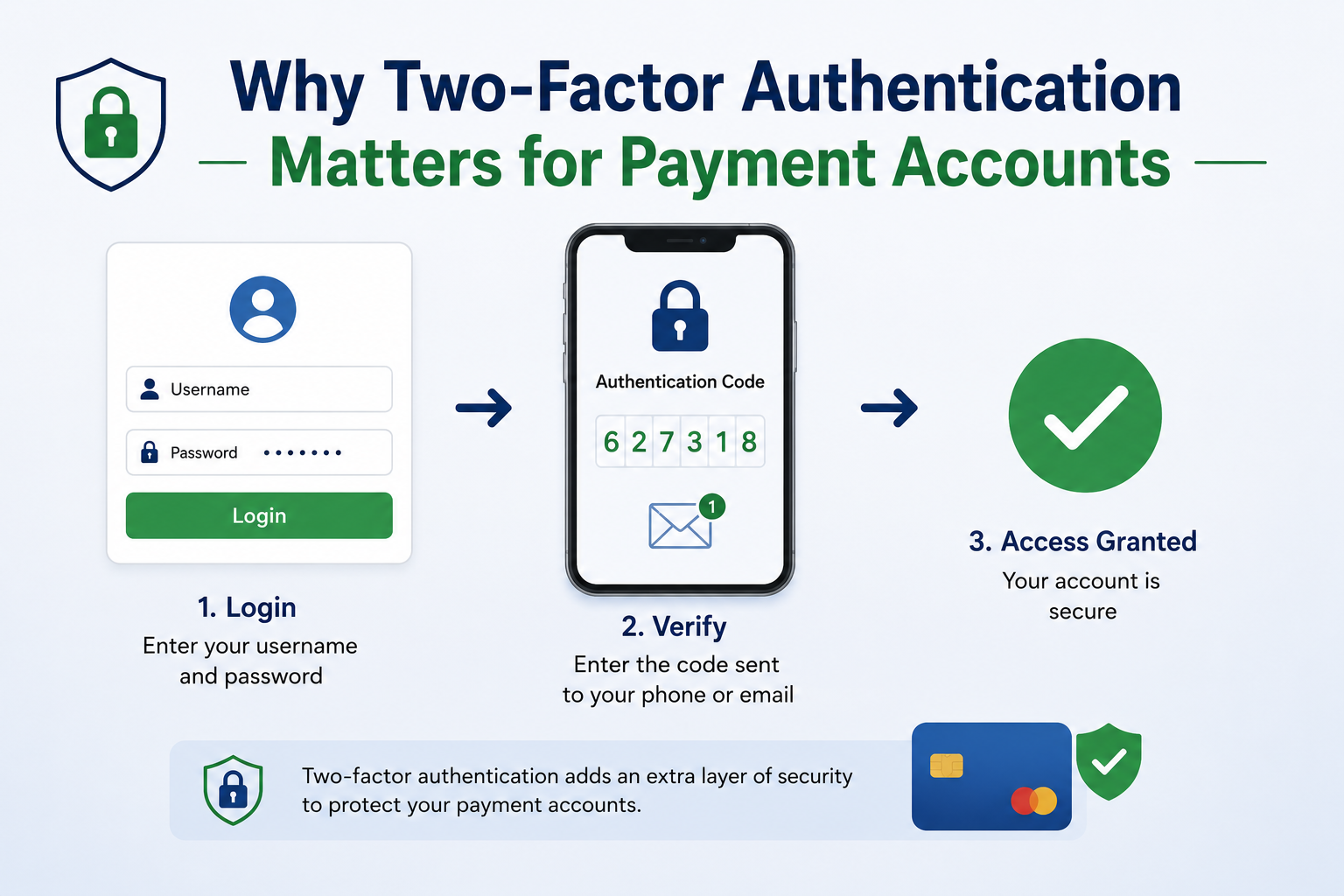
Paying bills, shopping online, transferring money, and managing subscriptions have become routine. With so many financial activities taking place online, protecting your checking accounts requires more than just a strong password. Without an extra layer of security, anyone who knows your password can, in principle, gain access to your account. This is where two-factor authentication (2FA) becomes crucial.
Two-factor authentication adds an extra step when logging in or performing sensitive actions. You may be required to provide your phone number or security key instead of a password. This makes it much more difficult for someone to gain access to your account with a stolen or easy-to-guess password. 2FA is not a perfect security solution, and alternatives offer varying levels of protection. Understanding which attacks 2FA can and cannot prevent, and how to back up and restore your data, helps you secure your checking accounts and prevent problems.
The Role of Two-factor Authentication
Two-factor authentication verifies account logins or sensitive actions via a second step. In short, multiple authentication methods make it more difficult for attackers to gain access to your account. The first factor is usually your password or PIN. The second factor can be your registered smartphone or physical security key. Some services use your fingerprint or face scan, but specific implementations vary.
This extra layer of verification protects payment accounts because passwords are often stolen, reused, or leaked via phishing. If an attacker obtains your password but fails the second verification step, they may not be able to log in. Two-factor authentication (2FA) can reduce the risk of unauthorized access when a password is no longer sufficient to prove identity.
What 2FA Does Not Do
Although effective, two-factor authentication is not foolproof. It cannot prevent all fraudulent activities, nor can it neutralize dangerous behavior. Even if you have approved a fraudulent transaction, two-factor authentication may not be able to prevent it. Scammers can misuse the verification code you provided for a social engineering attack before it expires. Because two-factor authentication does not protect accounts already logged in on a hacked device, the risks from malware, browser extensions, or attackers with access to unlocked devices extend far beyond the login itself.
Keep in mind that different methods of two-factor authentication (2FA) offer different levels of security. SMS verification codes are more vulnerable than phishing-resistant security keys. Authenticator apps are generally more secure than SMS verification codes, but users can still be tricked into giving away their codes on fake websites. It is best to consider two-factor authentication (2FA) as an extra layer of security in your security plan. Secure passwords, up-to-date devices, careful browsing, transaction notifications, and account recovery remain crucial.
Why 2FA Is Especially Important for Payment Accounts
Checking accounts contain money and personal data, making extra security necessary. Depending on the service provider, attackers may be able to view transaction history, change account settings, add payment methods, or attempt to carry out unauthorized transfers. Reusing stolen passwords on multiple websites is extremely risky. Attackers may try the same login credentials on different services to identify financial accounts.
Enabling 2FA poses an additional hurdle for attackers. Even with the correct password, the account may require additional verification. Even if someone successfully steals the password, the account hijacking attempt may still fail. Enabling two-factor authentication (2FA) before problems arise is the most effective approach. Only discovering the risk after a hacker has already compromised an account is very risky. Check the security options offered by your payment services, banking apps, digital wallets, and other financial accounts.
Authentication Apps: A Practical Choice
Mobile authentication apps generate temporary verification codes. Once you link the app to your account, it periodically generates new codes. To log in, you need the current code and the password. Some authentication apps do not require SMS verification. Such methods can make you vulnerable to threats via the mobile network. Old codes usually expire quickly.
However, using authentication apps requires careful consideration. If you lose your phone and do not have a backup, you may lose access to your account. Some service providers support cloud backups or account transfers, while others require a recovery code after installation. Always check how your service provider handles lost or replaced devices before enabling an authentication app. Security is not just about stopping intruders. It is also crucial that the legitimate account owner can regain access in the event of problems.
Security Keys: Strong Protection Against Phishing
Security keys are physical authentication devices. The service and the key determine how they connect via USB, NFC, or other methods. FIDO2 and WebAuthn offer anti-phishing authentication for many current security keys. The main advantage is that authentication is linked to a legitimate website or service. This makes it difficult for scammers to trick you into entering verification codes on fake websites.
Security keys are crucial for protecting financial accounts and preventing sophisticated phishing attacks. However, they also present a practical problem: authentication requires a physical key. Some users keep master keys and backup keys for important accounts. If a service supports multiple registered keys, the backup key can prevent your account from being blocked if the master key is lost.
SMS Verification Codes
SMS-based two-factor authentication (2FA) sends a temporary verification code to your phone. Its simplicity and widespread use make it a better authentication method than a password. However, SMS also has disadvantages. Criminals may attempt to transfer a victim’s phone number to another SIM card via a SIM card swapping attack. Mobile network interception and social engineering attacks also pose a threat.
SMS verification codes are better than no second factor, but they may not be the optimal solution. If your payment method offers an authentication app or security keys, consider using these tools.
| 2FA Method | Main Advantage | Main Limitation |
|---|---|---|
| SMS code | Easy to use and widely supported | More vulnerable to phone-number attacks and phishing |
| Authenticator app | Works without relying on SMS delivery | Device loss can create recovery problems |
| Security key | Strong phishing resistance | Requires possession of the physical key |
| Biometric factor | Convenient on supported devices | Availability and implementation vary by service |
Backup Methods Matter More Than Many People Realise
Security settings primarily protect against attackers, but ordinary users also need backups. Imagine losing your phone while traveling and discovering that your payment account requires a device-specific verification code. What would you do? Strong security measures can be frustrating when trying to access your account.
Many service providers offer backup verification codes. Use one-time verification codes when your second verification step fails. Use them as emergency keys. Do not send them to yourself and do not store them in public note-taking apps; keep them safe.
If your service supports multiple security keys, it may be useful to register a backup key. Some authentication apps support secure backups or transfers, but you need to understand how they work before using them. Set up your recovery method before you lose access to your account.
Account Recovery can Contain Security Vulnerabilities
If the account recovery mechanism is not secure enough, two-factor authentication (2FA) can be cracked. Even if they cannot crack your login credentials, they may attempt to mislead customer service or use insecure recovery methods. Read important information regarding account recovery carefully. Ensure that your recovery email address and phone number are always current and secure. Remove outdated email accounts from your security settings.
Avoid using web search engines for account recovery. If your service provider gives you the choice, avoid recovery responses that may be valid via social media or public records. Most importantly, understand what happens if you lose your two-factor authentication credentials. By understanding the recovery process before an emergency occurs, you can avoid making hasty decisions or prevent falling victim to scams involving so-called ‘account recovery’ methods.
Choose the Right Two-factor Authentication (2FA) Method
The best solution depends on your payment provider and how you use your account. If you find a security key acceptable, use it to prevent phishing. Many users find authentication apps more convenient and secure than SMS. If SMS is the only option, the code is generally preferable to a password. Instead of abandoning 2FA because there is no perfect solution, choose the most reliable and practical method. Consider the consequences of a stolen and blocked account—especially for accounts that are most important to you. Choose a security technology with strong protection and a safe and practical recovery process.
| Account Situation | Practical Approach |
|---|---|
| Everyday online payment account | Enable the strongest available 2FA and keep recovery details current. |
| High-value financial account | Consider phishing-resistant authentication if supported. |
| Account using SMS only | Enable SMS 2FA and watch for unusual mobile account activity. |
| Account using an authenticator app | Secure backup codes and plan for device replacement. |
Simple Mistakes That Can Weaken 2FA
Approving login requests without verifying the source is a common mistake. Some services use push notifications instead of CAPTCHAs. An attacker who knows your password can submit repeated login requests in the hope that you will approve them by mistake. Another pitfall is exchanging CAPTCHAs with customer service representatives. Real customer service representatives should never ask for a secret identification code to verify your identity during an emergency call.
Users also sometimes store insecure backup CAPTCHAs or forget to update their recovery details. These seemingly minor errors can lead to problems if someone hacks your account or loses your device. Never reuse the same password, even if you have enabled two-factor authentication (2FA). A strong second factor can minimize the risk, but a unique password remains crucial.
Protect your Payment Account
Log in via the official website or app. Check your account security settings to confirm that two-factor authentication, multi-factor authentication, or login verification is enabled. Choose the most effective authentication method. If you use an authentication app, follow the installation instructions and keep your recovery CAPTCHA safe. Security keys may offer you the option to register a second backup key.
After installation, verify your recovery email address and phone number. Remove outdated contact information and check your account access rights per device or session. Finally, please check the account and transaction alerts. These alerts do not replace two-factor authentication (2FA), but they can help you detect suspicious activity. Always investigate the situation before approving unexpected login alerts or authentication requests.
Conclusion
Because passwords alone are no longer sufficient to effectively protect your most important financial accounts, two-factor authentication (TFA) is crucial. Phishing, data breaches, and password guessing can all lead to account theft. A second layer of authentication prevents attackers from gaining access to accounts using stolen passwords.
However, two-factor authentication is not a complete solution. It does not prevent all forms of fraud; attackers can still try to trick consumers into authorizing fraudulent activities or disclosing verification codes. Choosing the right authentication method is essential. Secure keys are effective against phishing, authentication apps offer a good balance between security and ease of use, and SMS verification is ideal when other methods are unavailable.
Check your checking account security settings. Enable two-factor authentication, choose the most secure method, keep your backup verification codes safe, and learn how to recover your account. By planning ahead, you can effectively prevent unauthorized access to your financial accounts.
FAQs
1. Are authentication apps safer than SMS?
Authentication apps are generally safer than SMS because they do not require your phone number to receive messages. SMS is vulnerable to SIM card swapping and other threats. Even authentication apps cannot completely prevent phishing and social engineering attacks. Using a service with anti-phishing security keys might be a better option.
2. What if I lose my phone with an authentication app enabled?
The answer depends on your service and backup options. You can restore your authentication app using a compatible backup system, a registered backup device, a recovery code, or your service provider’s account recovery procedure. It is crucial to set up recovery options before you lose your device. Never wait until an emergency situation arises to lose access to your account.
3. Does Two-Factor Authentication (2FA) prevent all payment fraud?
No. 2FA primarily protects access to accounts and sensitive activities. It may not prevent fraud involving seemingly legitimate payments. You should still verify payment details, avoid suspicious websites, and never give your login token to strangers. 2FA works best as part of a more comprehensive account and payment security strategy.
4. Should I keep backup codes?
Assume that your service provider provides backup codes. If your authentication fails, backup codes can restore access. Keep them safe and confidential, just like important keys. Do not post them online and do not give them to unauthorized persons. If your service provider generates new backup codes, replace the old codes if necessary.
5. Which 2FA method is the most secure?
Hardware security keys using the latest standards such as FIDO2 or WebAuthn are effective against phishing. The best strategy is one that can be used correctly and safely restored. Many people find authentication apps convenient, but SMS verification remains effective when no better option is available.
References
- CISA – Multifactor Authentication
- National Cyber Security Centre – Setting Up 2-Step Verification
- FIDO Alliance – Authentication and Passkey Standards
- National Institute of Standards and Technology – Multi-Factor Authentication
